Sharing a Paint Builder project
You can share a Paint Builder project you’ve created with another member in order to collaborate on a paint or just show your work in progress.
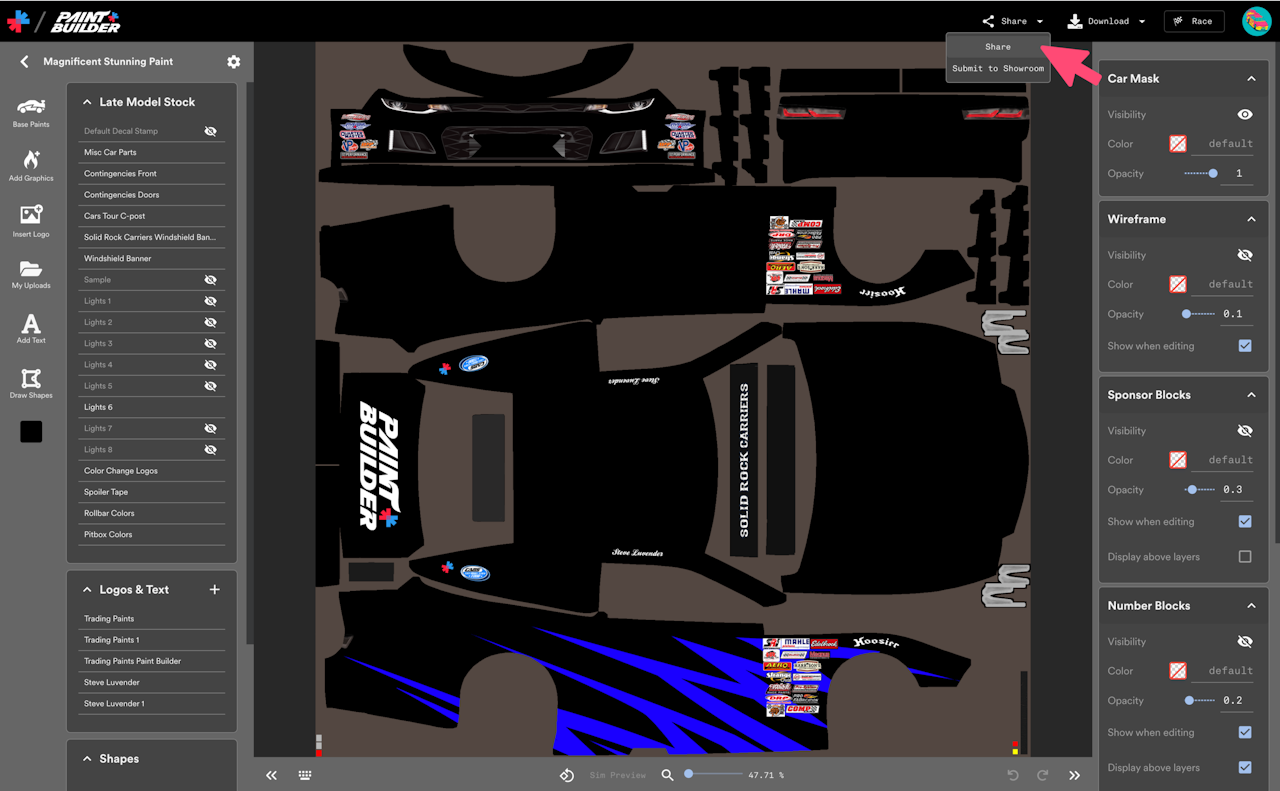
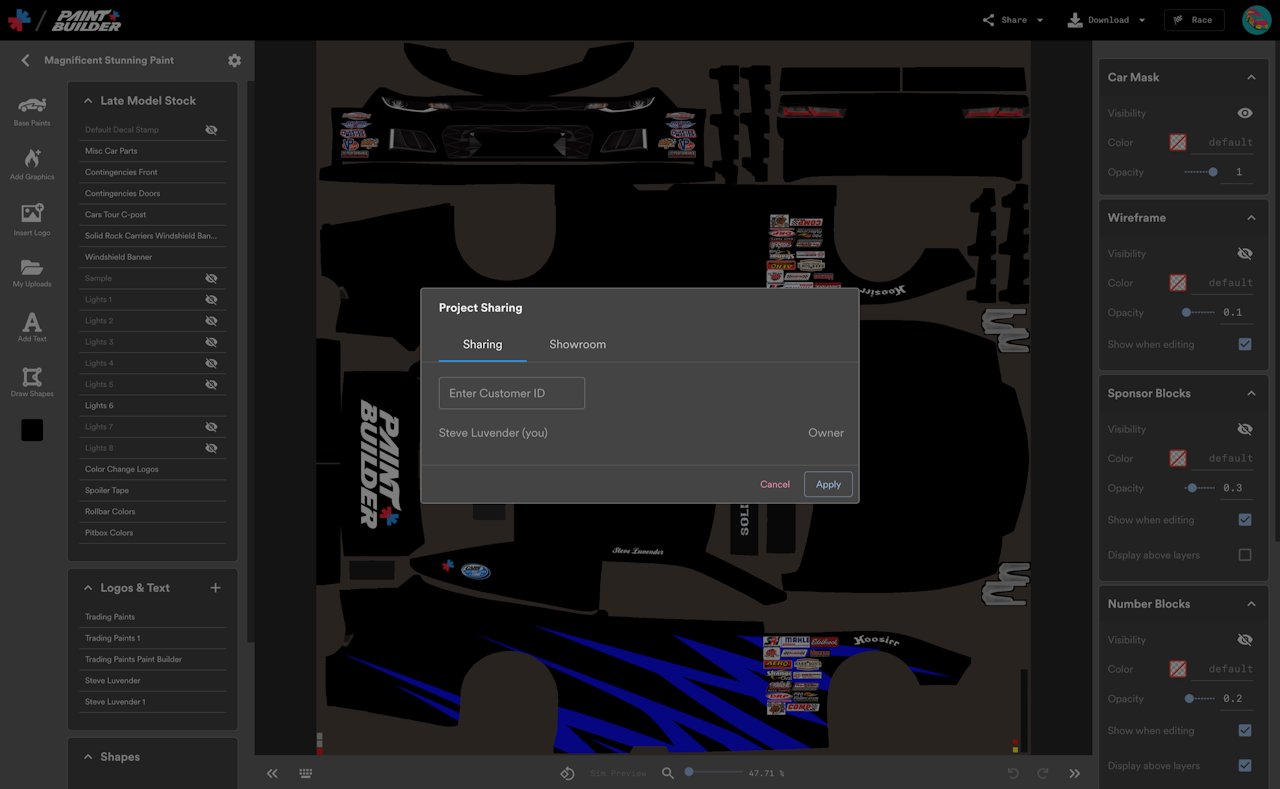
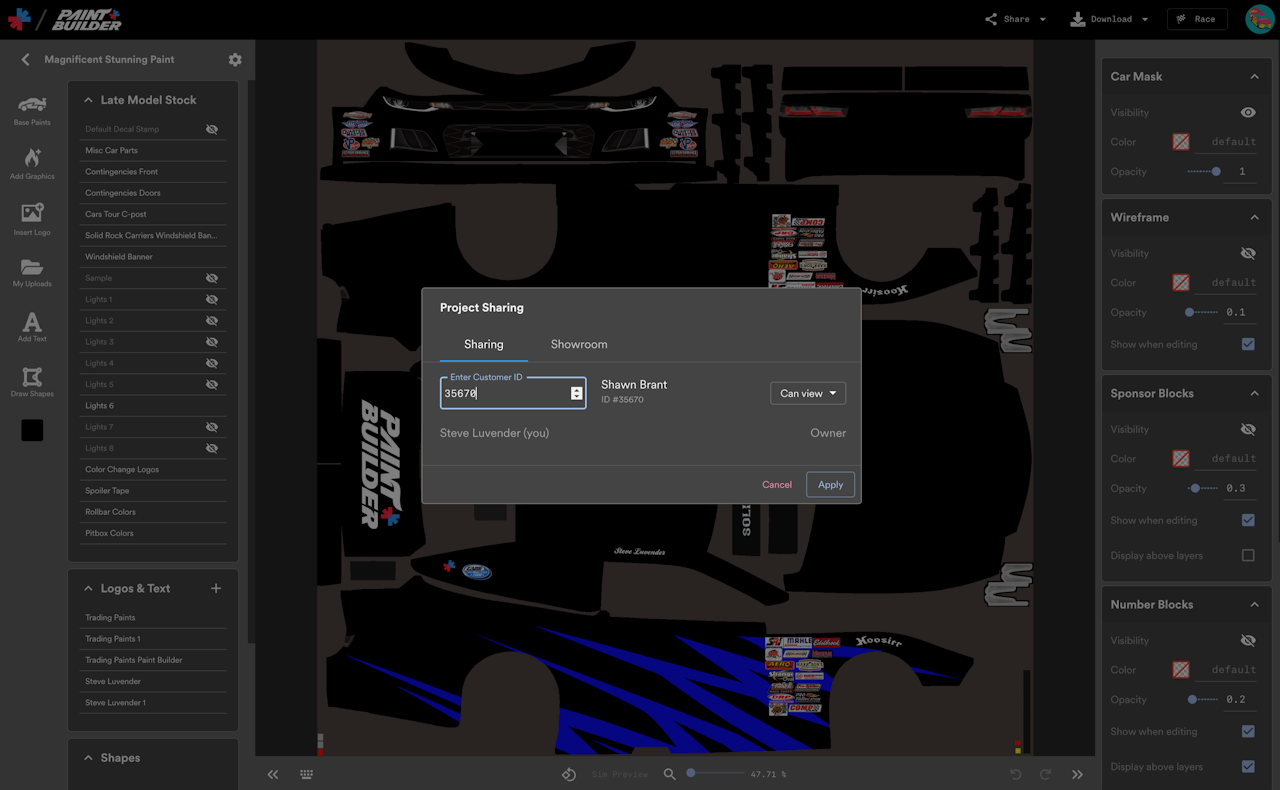
On a project editor screen, choose Share from the Share menu, and then enter the Customer ID number of the other member.
Sharing Options
Can view: The other member can open the project through their Shared with Me menu in Paint Builder and see changes you make, but they can’t make any changes themselves.
Can view & edit: The other member can open the project through their Shared with Me menu in Paint Builder and see changes you make, and they can make changes, too.
Remove: After you’ve shared a project with someone, you can take away their access to the project by selecting Remove in the menu next to the other member’s name.
Select Apply to share the project or save changes to your share preferences.