How can I race with a paint I’ve favorited?
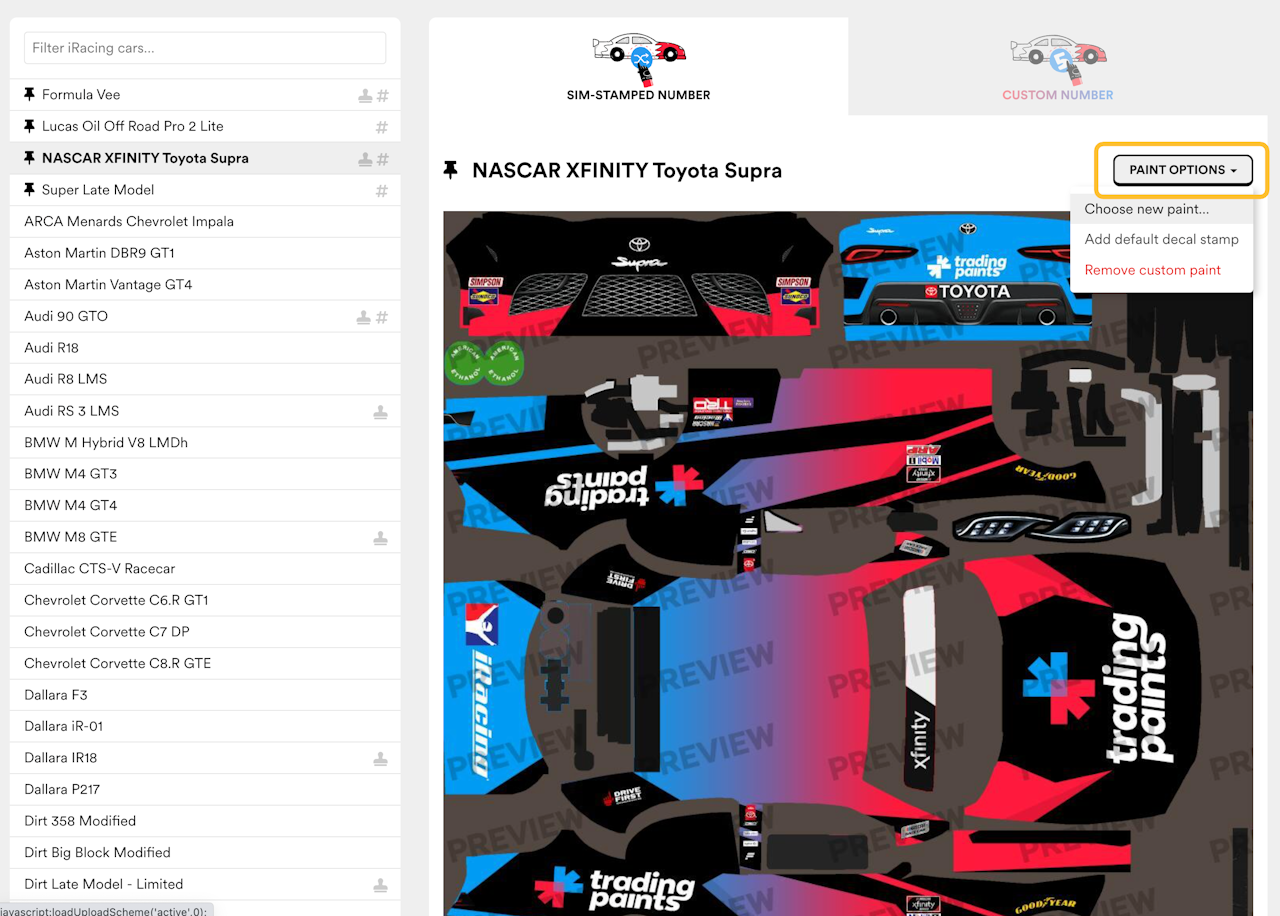
If you’ve favorited a paint from the Showroom, you can select to race with it from your My Paints screen later.
First, from My Paints, select a vehicle from the menu, and click the “Paint Options” button. Select “Choose new paint” to continue.
Choosing from Favorites
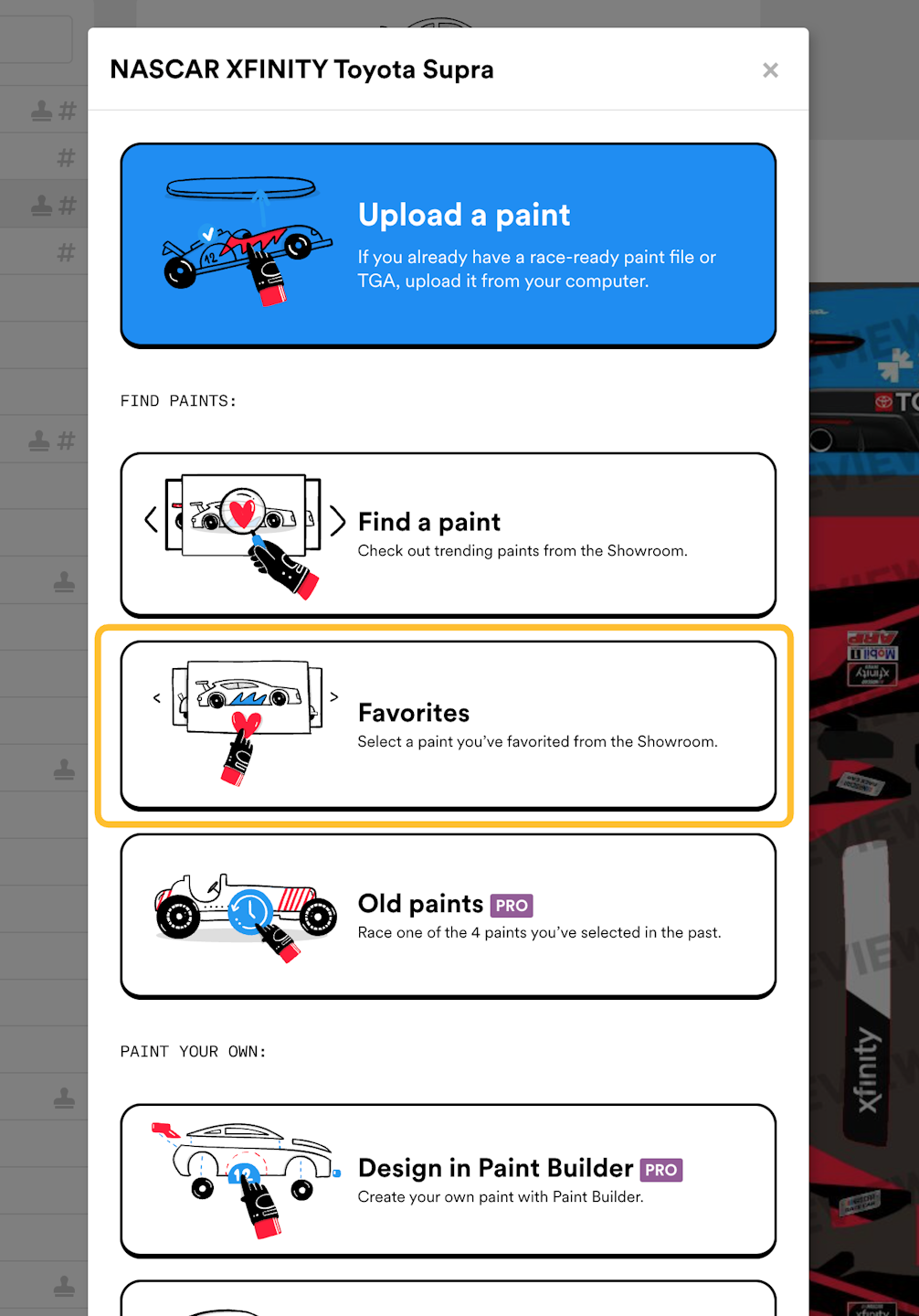
When the Choose New Paint menu popup opens for the selected vehicle, select “Favorites.”
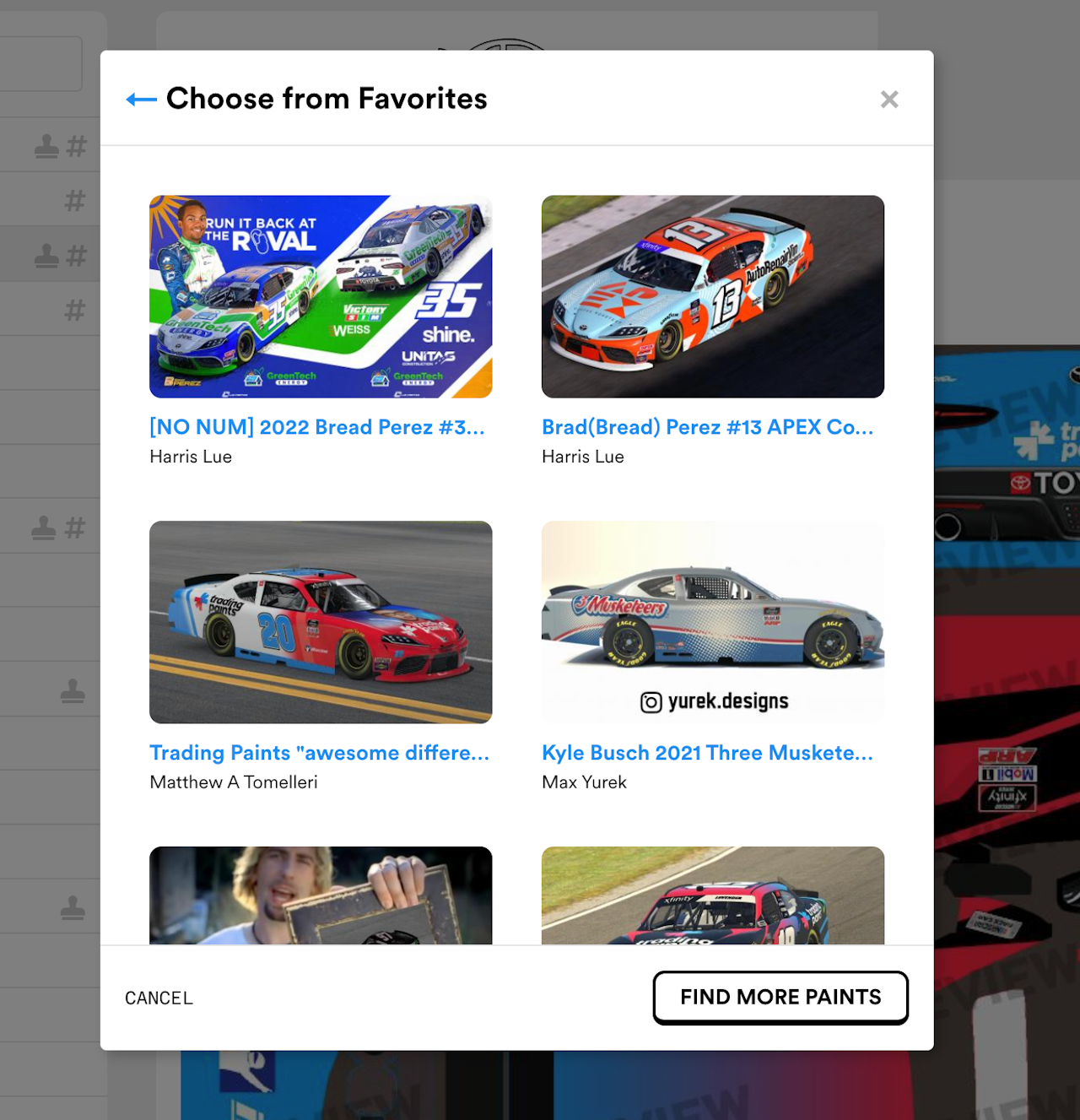
Select a favorite paint to race
After selecting “Choose from favorites” a list of paints you’ve favorited for the selected vehicle will appear.
💡
Note: If you don’t see all the favorites you expect, you may have favorited a Custom Number paint when viewing the Sim-Stamped Number tab, or vice versa. You can repeat this process by navigating to either the Sim-Stamped Number or Custom Number tab under a vehicle screen on My Paints.
Confirm racing the paint
Click “Race this paint” to confirm the action to race the favorited paint.
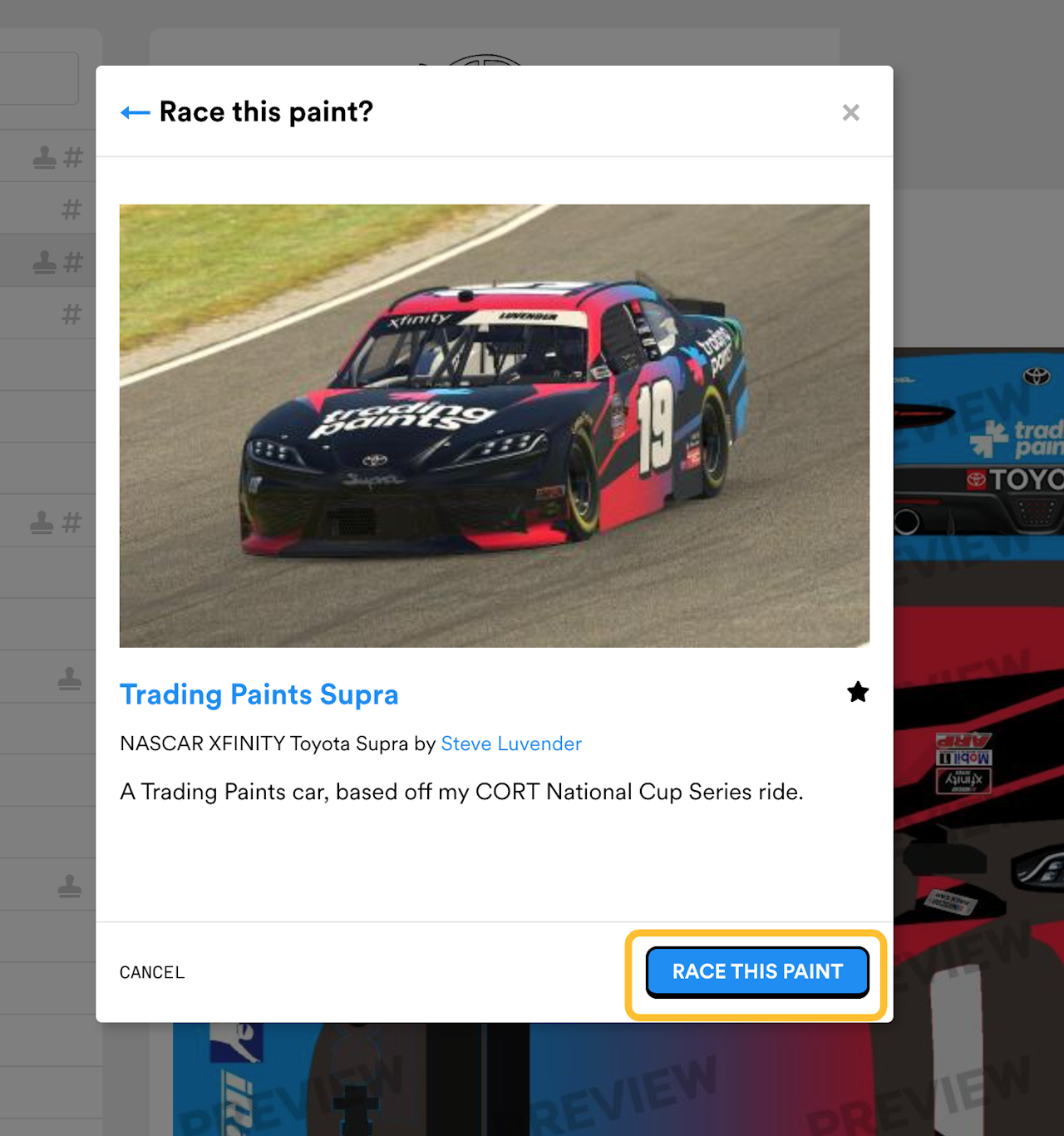
Next time you join an iRacing session with the Trading Paints Downloader running, your new custom paint should appear.
Updated on Dec 8, 2025